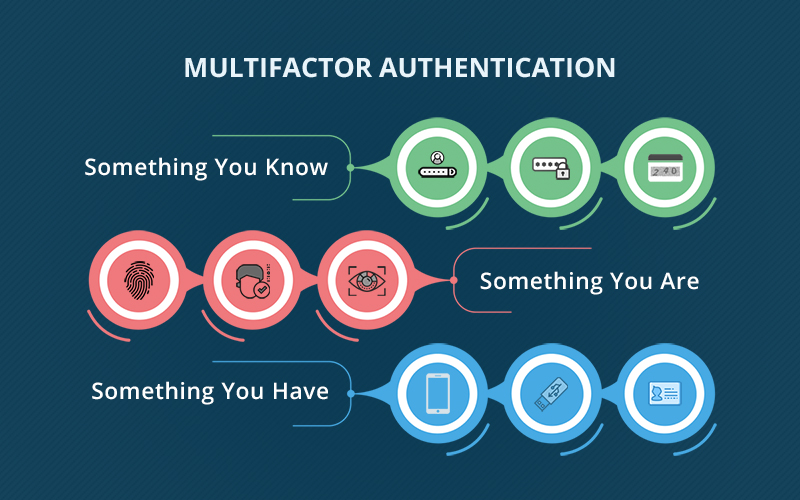
A stolen password is just a copied key. Multi-factor authentication adds a second lock that stops the most common way attackers get into a business.
If someone copies your house key, can they get inside? With only one lock on the door, the answer is yes. MFA works the same way.
The password is the first lock. MFA is the second. Even with the key, the door stays closed.
Teams therefore put MFA first on email, admin access, remote access, and backups, the systems that open the door to everything else.
Why do we need MFA?
Most break-ins online do not start with someone “hacking” a system. They start with a password that already exists somewhere.
Passwords are reused across accounts, saved on devices, shared when people are under pressure, and exposed through breaches that have nothing to do with your business. Attackers collect those logins and try them across email, cloud platforms, finance portals, and remote access tools.
If the only protection is a password, the door opens the moment they find one that works.
MFA changes the outcome. It makes the password alone useless, because the second lock still needs to be opened.
This is why national cybersecurity guidance consistently recommends MFA on critical accounts.
What MFA protects you from
MFA does not prevent a password being guessed or stolen. It assumes that will happen. What MFA blocks is the next step.
Without MFA, a stolen password can mean immediate access to email, files, and internal systems. That is how most account takeovers begin. With MFA in place, the attacker hits a second lock they cannot open, because they do not have the second check.
That extra step is why MFA is so effective. It breaks the most common route into a business, without relying on people remembering stronger passwords every day.

Where MFA matters most in a business
Not every door in a house matters equally. The same applies to systems.
If you want the biggest reduction in risk, focus on the doors attackers try first and the doors that lead to everything else.
- Email and productivity tools, because email is often the route into the wider environment.
- Admin and finance access, because it controls permissions, payments, and approvals.
- Remote access, because it can open the door straight into the network.
- Backup and recovery systems, because attackers often try to remove the safety net.
This is where MFA has the biggest impact, because it protects the accounts that attackers value most.
Common MFA concerns, answered properly
- It will slow the team down: For most people, it becomes normal within days. The extra seconds at sign in are minor compared to the time lost dealing with a compromised account.
- People will hate it: People usually do not hate MFA. They hate disruption and unclear changes. When MFA is positioned as the second lock on the door, it makes sense quickly.
- Text messages are fine, right: Text messages are better than nothing, but authenticator apps or security keys are stronger. If the goal is a proper second lock, app based methods are the better fit.
- What if someone loses their phone: This is solvable when it is managed properly. Users should have more than one sign in method set up so access can be restored quickly and safely.
A stolen password is just a copied key. MFA is the second lock that keeps the door closed anyway. That is the point of this control. It is simple, it is proven, and it stops the most common break in method businesses face.
If you want MFA handled properly across Microsoft 365 and critical systems, talk to our team.
FAQs
What is multi factor authentication?
Multi factor authentication adds an extra check at sign in to confirm the user is really them. In the house analogy, the password is the first lock and MFA is the second lock that keeps the door closed even if someone has the key.
Is MFA the same as two factor authentication?
Two factor authentication uses exactly two checks. MFA means two or more. In practice, most businesses use two.
Does MFA really stop hackers?
MFA helps stop account takeovers that rely on stolen passwords. If someone has a password but cannot complete the second check, they cannot sign in.
Which authenticator app should we use?
An authenticator app with number matching is a strong default for most teams because it is quick and helps reduce fake approval prompts.
Can we use text messages instead?
You can, but app based prompts or a security key are stronger. Text messages are best kept as a backup option.
What happens if someone loses their phone?
If a second sign in method is set up, access can be restored safely, then the new phone can be registered without panic.
Does MFA slow people down?
It adds a few seconds at sign in and saves far more time dealing with compromised accounts later.
Do shared mailboxes need MFA?
Shared mailboxes do not sign in like a person. Focus on securing the accounts that manage access to them.
Written by: Jolene Oelofse – Marketing Lead, Hybrid Technology Partners
Jolene leads Hybrid TP’s content strategy, translating complex IT and cybersecurity topics into practical insights for Irish SMEs. She collaborates closely with the technical team and Managing Director Paul Browne to ensure every article reflects real-world accuracy and business value.