What About Antivirus?
Antivirus is great — for what it was designed for. It scans files, checks for viruses it recognises, and blocks what it knows is bad.
But today’s threats are smarter. They’re constantly changing and often don’t look like anything the antivirus has seen before. Some sneak in disguised as something else. Some don’t even trip antivirus alarms.
That’s where EDR shines — it doesn’t just check names at the door, it watches what people do. It spots unusual behaviour in real-time and raises the flag before damage is done.
What if I don’t deal with sensitive data?
You might think: “I’m not a bank or a hospital — do I really need this level of protection?”
If you use email, cloud tools, customer details, or even just day-to-day files — you’re a target. Hackers don’t care how small you are. They care how easy it is to get in.
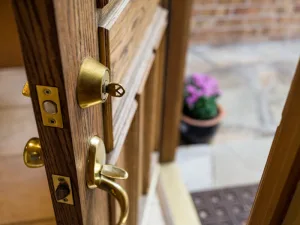
And if you’re only using antivirus? You’ve basically got a lock from 2007 on your front door — and no one watching it.

What EDR doesn’t do (Because People Ask):
Let’s clear up a few common concerns:
- No, EDR doesn’t spy on you. It’s not watching your screen or reading your documents.
- No, it doesn’t slow your device down. Good EDR is built to be lightweight.
- No, it won’t block your work. It’s there to spot actual threats, not get in your way.
It stays out of your way — until something suspicious happens. Like your front door slamming shut when a stranger tries to walk in.
Real Example:
One of our clients thought they were covered. Antivirus was installed, everything seemed fine. Then someone clicked an email attachment that looked harmless. Within minutes, files across the system started locking up — ransomware.
Antivirus didn’t catch it. The threat was too new, too sneaky.
If EDR had been in place? It would’ve spotted the strange behaviour straight away — the sudden spike in file changes, the way the system was reacting. It would’ve stopped the attack before it spread.

Not Sure What You’re Using?
You’re not the only one — most businesses aren’t 100% sure what protection they have in place. We’ll take a look, tell you exactly what’s working, what’s not, and what you actually need. Simple, clear, and no pressure.
📩 Reach out to our IT Account Manager: mario@hybridtp.ie
Catch Up on the House Analogy Series:
- 🔐 Part 1: Door Access – Understanding Firewalls
• 🚗 Part 2: Vehicle Insurance – Protecting Your Data with Datto 365 Backup
• 🛠️ Part 3: Breakdown Cover – Keeping Devices Running with Datto Endpoint Backup
• 🚪 You’re here: The Front Door – EDR & Antivirus Explained
Written by: Jolene Oelofse – Marketing Lead, Hybrid Technology Partners
Jolene leads Hybrid TP’s content strategy, translating complex IT and cybersecurity topics into practical insights for Irish SMEs. She collaborates closely with the technical team and Managing Director Paul Browne to ensure every article reflects real-world accuracy and business value.