
Windows Server 2016 End of Life
Support Ends 12 January 2027
When support ends, your Windows Server 2016 will no longer receive security patches, bug fixes, or Microsoft assistance. Unsupported systems increase cyber risk, fail compliance audits, and lead to costly emergency upgrades. Planning now means a smooth migration and zero surprises.
Why Act Now
Unsupported systems create serious risks for your business. Here’s what’s at stake:
| Urgency Level | Risk | Impact on Business |
|---|---|---|
| Orange | Compliance failures | Risk of fines, failed audits, and legal consequences |
| Red | No security updates or support | Systems exposed to cyber attacks and data breaches and no support |
| Red | Downtime and data loss | Disrupted operations and potential revenue loss |
Prefer a quick chat? Book a 20‑minute planning call with our team and start mapping your upgrade with confidence.
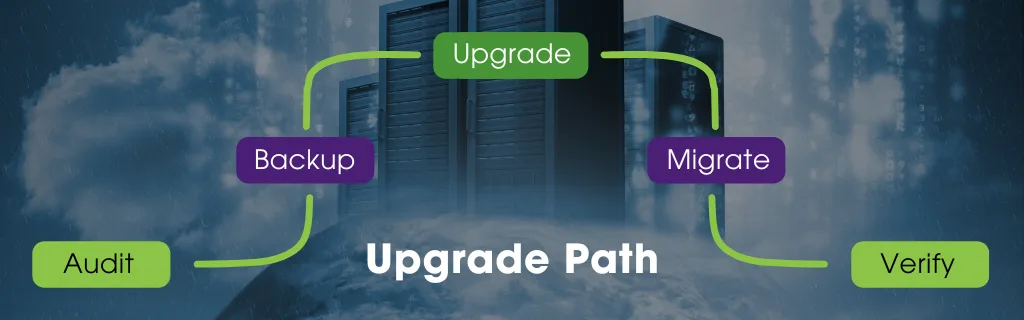
Your Upgrade Path
Get a clear upgrade roadmap with cost and timeline options, plus a migration plan designed for minimal downtime.
Audit
Review your Windows Server 2016 setup, identify workloads and dependencies, and document everything for a smooth transition.
Backup
Create complete backups of servers, databases, and configurations to safeguard critical data and enable quick recovery if needed.
Choose Path
Decide whether to upgrade to Windows Server 2022 or migrate to cloud, considering compliance, scalability, and overall cost.
Migrate
Implement the migration plan by applying updates, moving workloads, and configuring systems with minimal downtime and disruption.
Verify
Confirm performance, security, and compliance post-migration, validate backups, and ensure all services operate reliably without issues.
Download the Checklist
Get our Windows Server 2016 Upgrade Checklist to start planning today.